Best Salon POS Systems in 2026: An Honest Comparison
May 2026 · 16 min read
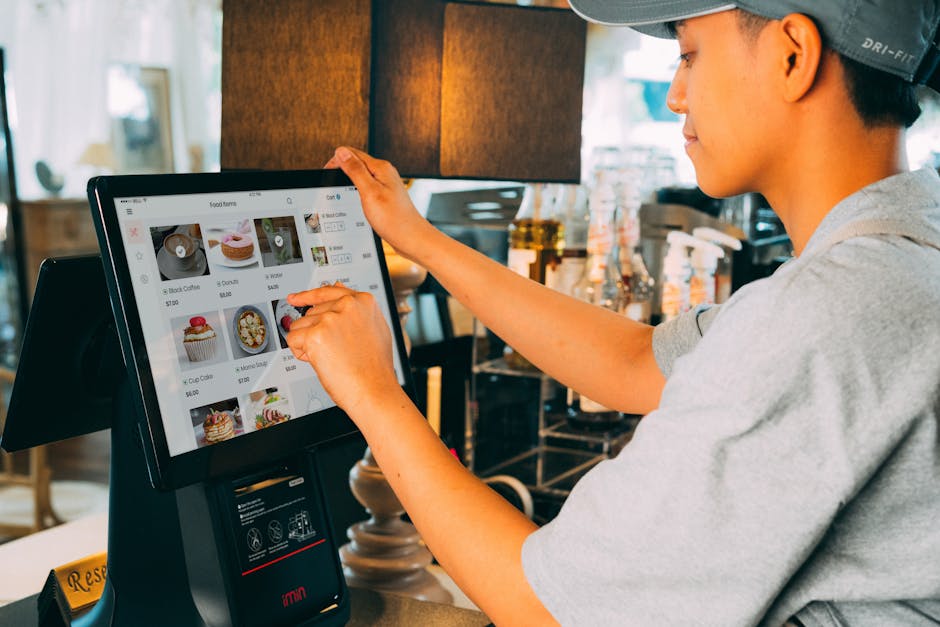
We are part of the KwickOS ecosystem. We are not going to pretend otherwise. But we also know that the best POS for your salon depends on your size, budget, technical needs, and the specific problems you are trying to solve.
Below we cover eight systems: what each is designed for, what its vendor publishes about pricing, and which type of salon each tends to fit. This is based on the vendors’ public pages, not hands-on testing. Prices and fees below are as listed on each vendor’s pricing page as of October 2026; they change often, so confirm on the vendor’s site before you buy.
The Quick Comparison
| System | Starting Price (as of Oct 2026) | In-person Card Rate | Best For |
|---|---|---|---|
| KwickOS | Request a quote | Ask vendor | Multi-location, keeps working when the internet drops |
| Square | $0/mo (Free plan) | 2.6% + 15¢ (Free plan) | Solo operators, simplicity |
| Vagaro | $30/mo (one calendar) | Check vendor | Independent stylists, all-in-one |
| Mangomint | $120/mo per location + $10/mo per user | 2.45% + 15¢ | Boutique salons and spas |
| Zenoti | Custom quote | Check vendor | Multi-location enterprise |
| Fresha | $19.95/mo (Independent); $14.95 per team member/mo (Team) | 2.29% + $0.20 | Booking-focused salons |
| Boulevard | Check vendor | Check vendor | Higher-end salons and spas |
| Phorest | Custom quote | Check vendor | Marketing and retention focus |
Sources: Square Appointments pricing, Vagaro pricing, Mangomint pricing, Zenoti pricing, Fresha pricing, Boulevard pricing, Phorest pricing (all checked October 2026).
KwickOS
What it does well: KwickOS (from KwickPOS) uses a hybrid cloud + local architecture, so the system keeps working when your internet drops. For salons in areas with unreliable connectivity, that matters. It runs in a web browser on most devices, and KwickPOS’s hardware list includes Samsung Galaxy Tab tablets.
For salons, KwickPOS lists commission management by service and technician, staff rotation / turn management, an employee scheduler, online booking, SMS reminders, a check-in tablet, gift cards and a loyalty program on its nail salon page, plus 24/7 multi-language support and multi-location management.
Where it falls short: The interface is functional but not as visually polished as Mangomint or Boulevard. Setup requires more initial configuration than plug-and-play options like Square.
Pricing: Request a quote. KwickPOS states no setup fees or long-term contracts.
Square for Salons
What it does well: Square is quick to get started: download the app, connect a reader, and start taking payments. The ecosystem is broad: invoicing, payroll, online store and banking are all available from Square. For a solo stylist who wants a simple POS, Square Appointments has a $0/month Free plan (Plus is $49/month and Premium $149/month per location, as of October 2026, per Square’s pricing page).
Where it falls short: Salon-specific depth (tip pooling, color formula notes, commission rules) is worth checking against purpose-built systems. Payments run through Square: the in-person card rate is 2.6% + 15¢ on the Free plan (2.5% on Plus, 2.4% on Premium) as of October 2026, and Square says businesses processing over $250,000 a year can ask about custom pricing.
Best for: Solo operators, chair renters, and very small salons that prioritize simplicity over feature depth.
Vagaro
What it does well: Vagaro combines booking, POS, marketing, payroll, and a free listing on the Vagaro Marketplace in one platform. Email and text marketing tools are available.
Where it falls short: Costs grow with your team and add-ons. As of October 2026 Vagaro’s pricing page lists $30/month for one location with one calendar (introductory discounts may apply), and each additional bookable calendar license costs $10, up to seven. Optional features cost extra, so price out the full setup you need.
Best for: Independent operators and small salons who want an all-in-one platform.
Mangomint
What it does well: Mangomint is a cloud salon and spa platform with a strong focus on ease of use. It covers calendar and scheduling, payments, online booking (including its “Express Booking” feature), memberships and packages, forms, gift cards, and marketing automation. It advertises no contracts.
Where it falls short: It is priced above entry-level tools: as of October 2026 Mangomint’s pricing page lists $120/month per location plus $10/month per user, with phone, marketing and payroll as paid add-ons.
Best for: Boutique salons and high-end studios that prioritize client experience and do not mind paying for it.
Zenoti
What it does well: Zenoti targets larger operations: multi-location management, franchise tools, reporting and analytics. If you operate many locations and need centralized control, it is built for that.
Where it falls short: Likely more than a small salon needs. Pricing is by custom quote (Zenoti says multi-location pricing is customized), so get a written quote covering every location and add-on.
Best for: Multi-location chains and franchises.
Fresha
What it does well: Fresha focuses on scheduling and online booking, with a consumer marketplace that can bring in new clients. As of October 2026 Fresha’s pricing page lists $19.95/month for one-person businesses and $14.95 per bookable team member per month for teams, with in-person card payments at 2.29% + $0.20.
Where it falls short: Fresha charges a one-time 20% commission (minimum $6) on new clients who book through its marketplace, which can add up. Several features, such as premium support and some marketing tools, are paid add-ons.
Best for: Salons that primarily need scheduling and online booking.
Boulevard
What it does well: Built for higher-end salons, spas and med spas, with a focus on client experience: online booking, client forms, and two-way texting with clients.
Where it falls short: It is positioned as premium software, with an enterprise tier for larger operations. Plans and billing terms vary, so check Boulevard’s pricing page for current numbers.
Best for: High-end salons and day spas where the client experience justifies premium software pricing.
Phorest
What it does well: Phorest emphasizes retention and loyalty: its Digital TreatCard client loyalty program, automated marketing, and a salon-branded app (iOS and Android) on its top plan.
Where it falls short: Pricing is not published — Phorest’s pricing page asks you to request a quote. Ask about contract length before you sign.
Best for: Established salons that want to double down on client retention and loyalty marketing.
Our Recommendations by Category
Best for nail salons: KwickOS (turn management, commission by technician, works offline) or Vagaro (all-in-one simplicity)
Best for solo stylists: Square ($0/month Free plan, simple, fast setup) or Fresha (scheduling with a booking marketplace)
Best for multi-location: Zenoti (enterprise features) or KwickOS (multi-location management)
Best for luxury salons: Boulevard (premium client experience) or Mangomint (ease of use)
Lowest monthly software fee: Square ($0/month Free plan). Compare monthly fees and processing rates together.
FAQ
Can I switch POS systems without losing client data?
Most systems allow data export (client lists, appointment history). The import process varies by platform, so allow time for a clean migration. Ask your new provider about migration support before committing — some offer free data transfer.
Do I need special hardware?
It depends on the system. Square works with an iPad and its card reader. KwickOS runs in a web browser on most devices. Several vendors also sell their own card readers and terminals. Ask which existing printers and cash drawers are supported, and avoid hardware that locks you in.
Which POS has the lowest total cost?
For very small salons, Square’s $0/month Free plan has the lowest software fee. For larger salons the answer depends on your card volume: a lower processing rate can outweigh a monthly fee. Example: on $15,000/month in card sales, a 0.3-point difference in rate is $45/month. Get written quotes and compare monthly fees AND processing rates together.
See KwickOS
Commission management, turn management, online booking, SMS reminders, and 24/7 multi-language support. Keeps working when the internet drops. Book a 15-minute personalized demo.
Get a Free Demo →