The Complete Guide to Choosing a Salon POS System
Updated March 2026 · 18 min read
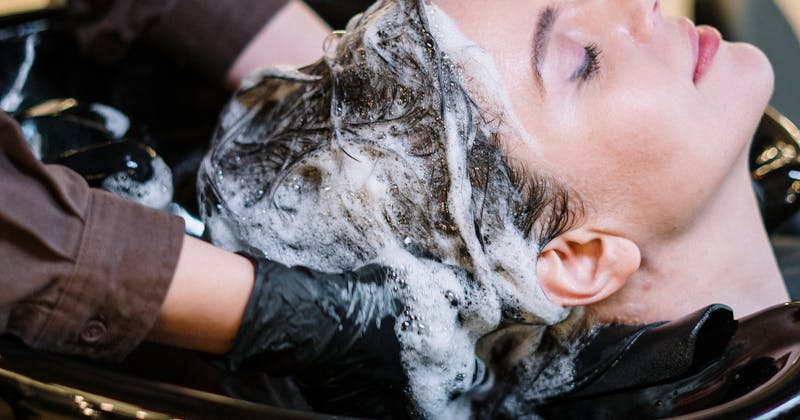
Running a salon or spa is about artistry and relationships. Your POS system should support that — not get in the way. But most generic POS systems were built for restaurants and retail, leaving salon owners to work around missing features.
This guide covers what to look for in a salon-specific POS system, the features that matter most, and how to evaluate your options. Whether you run a nail salon, hair salon, barbershop, or day spa, the right POS can save you time and money.
Tip: No-shows, scheduling gaps, and manual errors all cost revenue. A POS with integrated scheduling and automated reminders helps reduce them.
Why Generic POS Falls Short for Salons
Restaurant POS systems are designed around table management and kitchen tickets. Retail POS focuses on inventory and barcode scanning. Neither addresses the core needs of a beauty business:
- Appointment scheduling with technician assignment and room/station booking
- Advanced tip pooling with customizable split rules by role
- Client profiles with service history, preferences, formulas, and before/after photos
- Commission tracking for stylists and technicians (flat, tiered, or sliding scale)
- Employee scheduling with clock in/out, break tracking, and overtime alerts
- Loyalty programs based on visit frequency, not just spend
When a salon runs a POS that was not built for salons, owners often end up cobbling together separate apps for scheduling, payments, employee management, and loyalty. That means multiple logins, data that doesn't sync, and double the work.

Essential Features for Salon POS
1. Appointment & Waitlist Management
Your POS should handle walk-ins and appointments in one system. A built-in waitlist shows estimated wait times, assigns technicians, and sends SMS notifications when it's the client's turn. No more paper clipboards.
The best salon POS systems let clients book online 24/7, sync appointments across all devices in real time, and automatically block time for service duration plus cleanup. Look for features like:
- Online booking widget you can embed on your website, Google Business, and Instagram
- Automated SMS/email reminders 24 hours and 2 hours before the appointment
- Walk-in queue with estimated wait times visible on a lobby screen
- Technician availability view showing each stylist's schedule at a glance
- Service duration templates that auto-calculate appointment length by service type
- No-show tracking with automatic flags for repeat offenders
2. Advanced Tip Pooling
Tip management in salons is complex. You need configurable pools — percentage-based splits between stylists, assistants, and front desk. Role-based distribution that's fair, transparent, and compliant with labor laws. Look for a system that calculates this automatically at end-of-day.
Example tip pooling setups in beauty businesses (check your state’s tip rules first):
- Nail salons: Tips split between primary technician and the assistant who does prep/cleanup, at an agreed percentage
- Hair salons: Stylist keeps their tips, but shampoo assistant gets a fixed percentage from all stylists
- Spas: Tips pooled across all therapists working a shift, distributed by hours worked
- Front desk: Some salons include receptionists in pool; others give them a flat hourly bonus from tips
Your POS should handle all of these scenarios without requiring manual spreadsheets. At end-of-day, each employee should see an automatic tip report that shows exactly how their tips were calculated.
3. Employee Login & Security
Cash handling in salons is a known risk area. Individual employee logins (PIN or biometric, depending on the system) reduce password sharing, help prevent unauthorized voids and refunds, and creates an audit trail for every transaction. Each employee can only access functions their role permits — cashier, stylist, or manager.
Why individual logins matter for salons specifically:
- Shared workstations: Multiple technicians use the same terminal throughout the day
- Cash tips: High cash volume creates opportunities for theft if not tracked properly
- Discount abuse: Employee discounts and service comps need manager-level authorization
- Time theft: Buddy punching (one employee clocking in for another) inflates payroll

4. Client Loyalty Programs
Salon loyalty is different from retail. It's about visit frequency, not just dollar spend. The best programs track visits, offer birthday rewards, enable referral bonuses, and send automated reminders when a client hasn't visited in their usual interval.
Effective salon loyalty program features:
- Visit-based rewards: "Every 10th visit, get a free add-on service" is easy for clients to understand
- Birthday rewards: Automatic birthday email/text with a special offer gives clients a reason to rebook
- Referral tracking: When a new client names their referrer, both get a reward automatically
- Lapsed client alerts: If a client who normally comes every 3 weeks hasn't booked in 5 weeks, the system sends a "we miss you" message
- Tiered VIP levels: Bronze/Silver/Gold based on annual spend, unlocking increasing perks
5. Employee Scheduling & Time Tracking
Built-in scheduling with shift management, break tracking, clock in/out, and overtime alerts. Integrated with payroll data so you're not maintaining two systems.
Key scheduling features for salons:
- Drag-and-drop shift builder with templates for recurring weekly schedules
- Availability management: Employees set their available days/hours, manager builds around it
- Commission vs. hourly tracking: Many salons use both — hourly guarantee plus commission on services
- Break compliance: Automatic alerts when an employee is approaching a mandatory break threshold
- Overtime warnings: Real-time alerts before an employee hits overtime, so you can adjust
- Payroll export: Export to your payroll provider with tips, hours, and commissions calculated
6. Inventory with Formula Tracking
Salons use products differently than retail — you need to track both retail sales AND backbar usage. Formula/recipe tracking lets you log product consumption per service, giving you true cost-per-service calculations.
For hair salons, formula tracking is essential:
- Color formulas: Store each client's exact color formula (brand, shade, developer, ratio) in their profile
- Product deduction: When a color service is completed, the POS automatically deducts the products used from inventory
- Cost-per-service: Example: if a full highlight uses $18 in product and you charge $180, product is 10% of the price — before labor and overhead
- Retail tracking: Separate inventory counts for retail products vs. backbar supplies
- Low-stock alerts: Automatic notifications when a product falls below par level
- Vendor management: Track purchase orders, delivery dates, and price changes by vendor
Salon POS System Comparison
What KwickPOS publishes for KwickOS, and what to confirm on each competitor’s current official pages (as of October 2026):
| Feature | KwickOS | Square for Salons | Clover |
|---|---|---|---|
| Appointment Scheduling | Online booking + employee scheduler | Check vendor | Check vendor |
| Tip Tracking | Tips per employee | Check vendor | Check vendor |
| Walk-in Waitlist | Wait list + SMS reminders | Check vendor | Check vendor |
| Commission Tracking | By service and by technician | Check vendor | Check vendor |
| Works Offline | Hybrid cloud + local; keeps working when the internet drops | Check vendor | Check vendor |
| Support | 24/7 multi-language support | Check vendor | Check vendor |
Hardware Considerations
Salon space is often limited. Look for a system that runs on any device through a browser — a tablet mounted at the front desk, a phone for the stylist to check their schedule, a larger screen for the waiting area. No special hardware should be required.
One option is a hybrid setup: a small server in the back office keeps your data on-site. Any browser-capable device — iPad, Android tablet, even an old laptop — becomes a terminal. If the internet drops, the local server keeps the system running.
Recommended Hardware for Different Salon Sizes
| Salon Size | Stations | Example Setup |
|---|---|---|
| Solo / Booth Rental | 1-2 | 1 tablet + card reader |
| Small Salon | 3-6 | 1 front desk terminal + 1 tablet for back |
| Medium Salon | 7-15 | 2 terminals + server + receipt printer |
| Large Salon / Spa | 16+ | 3+ terminals + server + customer display |
Payment Processing Freedom
Some POS vendors require you to use their own payment processing. That can be a red flag. You should be able to use any payment processor — this lets you negotiate better rates and switch if fees increase. In the beauty industry where average tickets can range from $20 to $500+, processing rates add up quickly.
Example (hypothetical rates): A salon processing $40,000/month in card payments pays $1,040/month in percentage fees at 2.6%, or $720/month at 1.8%, before per-transaction fees. That 0.8-point difference is $3,840/year — which is why the freedom to compare processors matters.
The Offline Question: Why It Matters for Salons
Cloud-only POS systems depend on your internet connection. When the internet goes down, some functions may stop working — ask each vendor exactly what works offline, including card payments, appointments, and the cash drawer.
For a salon during a Saturday afternoon rush, downtime can mean:
- Clients who can’t pay and leave frustrated
- Walk-ins who leave because you can't check availability
- Technicians sitting idle because they can't see their next appointment
- Tips that get lost or calculated incorrectly later
A hybrid system with a local server is designed to keep working when the internet is down and sync to the cloud when the connection returns. Ask the vendor which functions, including card payments, are available offline.
Commission Structures That Work
Salon compensation is uniquely complex. Your POS needs to handle multiple commission structures simultaneously, because different employees often have different arrangements:
| Commission Type | How It Works | Best For |
|---|---|---|
| Flat Percentage | Employee earns X% of every service | Experienced stylists with established clientele |
| Tiered / Sliding Scale | Percentage increases as monthly revenue grows (e.g., 45% up to $5K, 50% from $5K-$10K, 55% above $10K) | Incentivizing high performers |
| Hourly + Commission | Base hourly rate + smaller commission percentage | Junior stylists, assistants, new hires |
| Booth Rental | Stylist pays fixed weekly/monthly rent, keeps 100% of service revenue | Independent contractors |
| Retail Commission | Separate commission rate for product sales | Encouraging retail upselling |
Your POS should calculate all of these automatically on every paycheck, including tip distribution, and generate reports that show each employee's total compensation breakdown.

5 Common Mistakes When Choosing a Salon POS
Mistake #1: Choosing Based on Price Alone
The cheapest POS often costs more in the long run. A "free" system that locks you into expensive payment processing, charges for every add-on, and doesn't include appointment scheduling will cost you more than a comprehensive system with a reasonable monthly fee.
Mistake #2: Not Testing with Your Actual Workflow
Before committing, run a full day's worth of scenarios: book an appointment, check in a walk-in, process a complex service with multiple technicians, split a tip, void a transaction, run an end-of-day report. If any of these feel awkward or require workarounds, keep looking.
Mistake #3: Ignoring the Offline Question
Ask the vendor directly: "What happens when my internet goes down on a Saturday afternoon?" If the answer involves the words "wait" or "manual backup," that's a problem.
Mistake #4: Forgetting About Growth
Your salon today might be 4 stations, but in 2 years it could be 10. Can your POS add stations without a complete overhaul? Can it handle a second location? Will the pricing remain reasonable as you grow?
Mistake #5: Overlooking Support Quality
When your POS crashes at 6 PM on a Friday and you have 20 clients booked, you need someone on the phone in 30 seconds — not a chatbot that asks you to "describe your issue." Test the vendor's support before you buy: call their support line at 8 PM on a weekend and see who picks up.
Built for Beauty Businesses
KwickOS offers online booking, an employee scheduler, tips per employee, commission management, loyalty programs, gift cards, and 24/7 multi-language support. Runs in a web browser on most devices.
Get a Free Demo →Choosing Your Salon POS: Complete Checklist
- Does it have built-in appointment scheduling and waitlist?
- Can you configure custom tip pooling rules by role?
- Does it support fingerprint/biometric login?
- Is there a visit-based loyalty program (not just spend-based)?
- Can you track product inventory AND backbar/formula usage?
- Does it run on any device (tablet, phone, laptop)?
- Does it work offline (hybrid cloud with local server)?
- Can you choose your own payment processor?
- Is employee scheduling built in with overtime alerts?
- Does it support gift cards and SMS marketing?
- Is 24/7 support available by phone (not just email)?
- Can you customize receipts and invoices?
- Does it support commission tracking (flat, tiered, sliding)?
- Can it handle booth rental and employee models simultaneously?
- Does it integrate with QuickBooks or other accounting software?
Frequently Asked Questions
How much does a salon POS system cost?
Costs vary widely by vendor, hardware, number of stations, and payment processing. Get written quotes that cover all three. Be wary of systems that seem free upfront but lock you into expensive payment processing — over a year, you'll often pay more than a system with a transparent monthly fee.
Can I use my existing iPad or tablet?
With browser-based POS systems like KwickOS, often yes — KwickOS runs in a web browser on most devices. Confirm your specific device with the vendor. This saves money on proprietary hardware and gives you flexibility to add or replace devices as needed.
What about HIPAA compliance for spa services?
If your spa offers medical aesthetic services (Botox, laser treatments, etc.), you may need HIPAA-compliant record keeping. Ask a compliance advisor whether HIPAA applies to your business and whether your software vendor will sign the agreements it requires. Standard beauty services (nails, hair, facials) usually do not involve HIPAA, but confirm for your situation.
How long does it take to set up a salon POS?
Setup time depends on the size of your service menu and team. It covers installing the server (if applicable), configuring your service menu, importing your client list, setting up employee profiles and commission structures, and training staff. Ask each vendor whether setup help and training are included.
What's the difference between salon POS and salon booking software?
Booking software focuses mainly on scheduling and client marketing, though many booking apps also take payments. A salon POS covers the wider operation: scheduling, payments, inventory, employee management, tips, loyalty, and reporting. The best salon POS includes booking as a built-in feature, eliminating the need for separate software.
Can I switch POS systems without losing my client data?
Usually. Many POS vendors can help you migrate client records, appointment history, and product catalogs from your old system. Ask about data migration during the demo — if a vendor can't import your existing data, that's a red flag.

5,000+ Active Businesses
KwickPOS reports 5,000+ active businesses. Free trial with full support and training, plus 24/7 multi-language support.
Get Started →